Once you purchase additional resources for your Smartermail Hosting account, you can change / adjust Mailbox Quota for SmarterMail accounts using the below steps :
1] Login to https://mail1.domaincentral.com.au/ with your SmarterMail Primary email account
2] Click on "More" Menu >> "Domain Settings"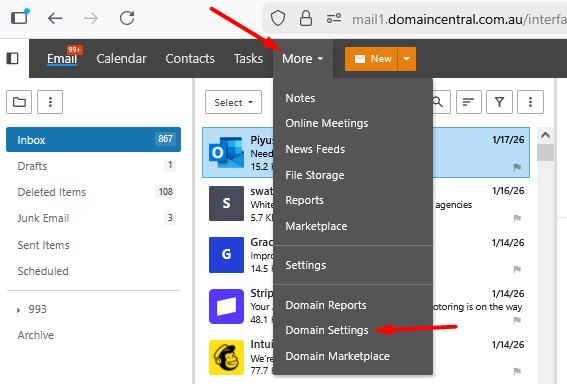
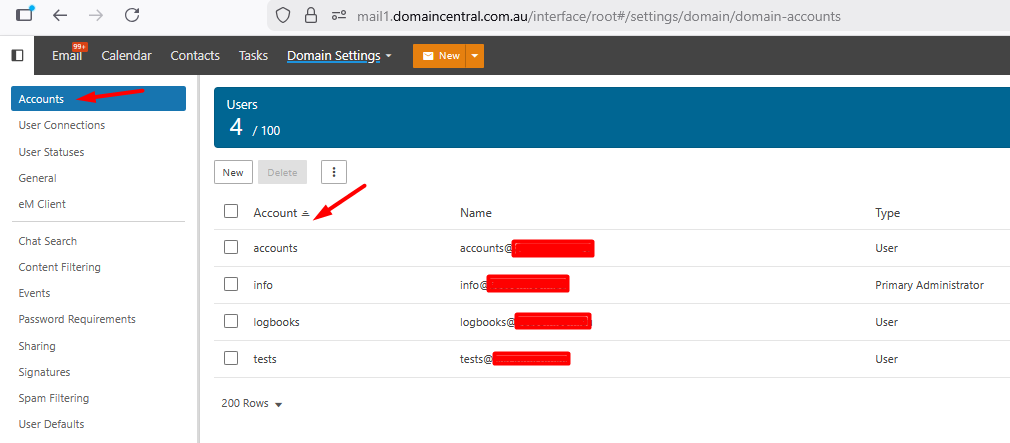
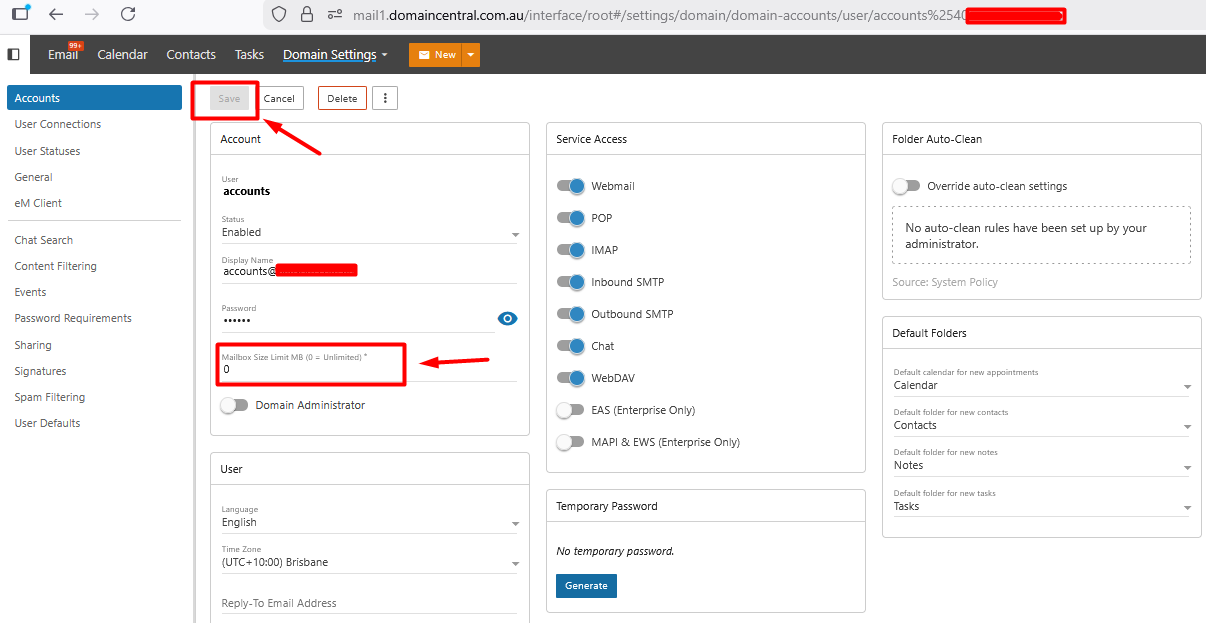
3] Under "Accounts" section >> Click on Email Account >> Update "Mailbox Size limit" in MB and click on "Save" button